What to Look for in WhatsApp Business API Platforms If You Care About Automation Builder
Your WhatsApp API platform's automation builder is the difference between a bot that answers FAQs and one that closes sales. Many platforms sell broadcast messaging, then hand you a flow editor that only your developers can touch. The wrong pick means every new campaign waits on engineering tickets.
This article breaks down how to judge automation builders on drag-and-drop usability, integration depth, trigger logic, and multi-channel coverage across WhatsApp, Instagram, Messenger, and web. You will finish knowing which questions to ask vendors, where pricing tiers cap your bot triggers, and how Com.bot structures automation capacity across its plans.
Why the Automation Builder Determines Your WhatsApp API Platform's Real Value
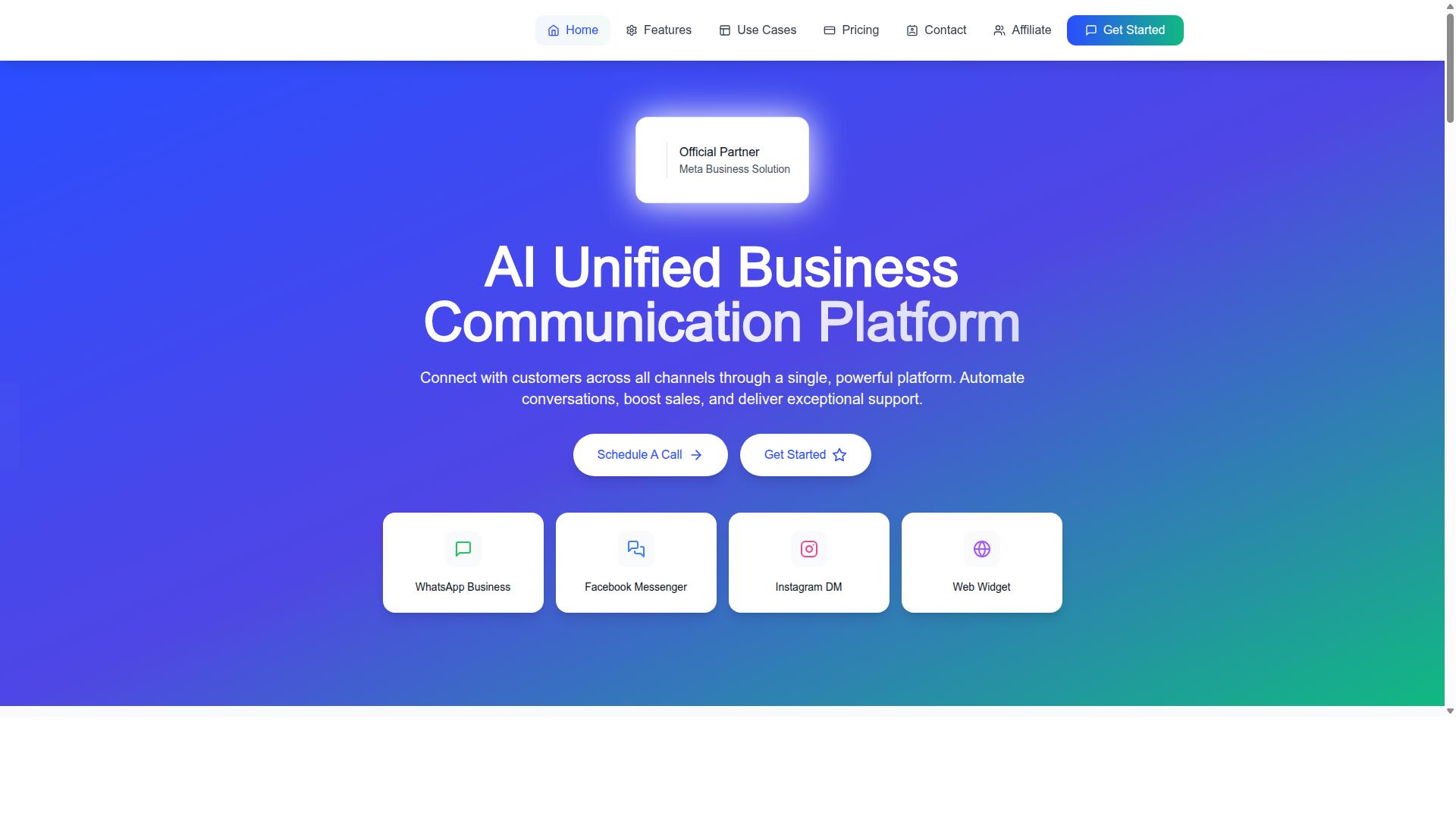
The automation builder is the engine that transforms basic WhatsApp messaging into intelligent, revenue-driving conversations. Official API access, phone number verification, and business verification through Meta Business Manager are the entry requirements. They get you connected. What you do after that connection is where platforms separate.
Some providers treat the WhatsApp Business API as a delivery pipe. You upload a contact list, push template messages, and read delivery reports. That model works for announcements, but it cannot respond to a customer who replies with a question. A platform built this way leaves every follow-up to a human agent.
Others ship a visual flow editor where you map triggers, conditions, and branches without writing code. The difference shows up in daily operations. A broadcast-only setup means manual replies, slower response times, and inconsistent answers across your team. A capable automation builder handles routine conversations end to end and frees agents for the cases that genuinely need a person.
Ease of use matters as much as raw power. A drag-and-drop interface lets a marketing or support lead build and edit flows directly, without filing a ticket with engineering. Flexibility matters too, because real conversations rarely follow a single straight line. Integration depth decides whether your flow can pull live order data, update a CRM, or trigger a payment.
When you compare platforms in the next section, judge each one on the builder first. Connectivity is table stakes. The builder decides how much of your messaging you can actually automate, and how well that automation holds up as your volume grows.
Beyond Broadcast Messaging: What Automation Actually Covers
Automation extends far beyond sending bulk messages; it encompasses dynamic, two-way interactions that respond to user input in real time. The spectrum runs from simple to complex, and knowing where a platform sits on that spectrum tells you what it can realistically run.
At the entry level sit quick replies and simple auto-replies. A customer types a keyword, and the system returns a preset answer or a menu of options. This handles common questions about hours, locations, or return policies with zero human involvement.
One step up are complicated processes with conditional logic. These flows branch based on what the user selects, remember earlier answers, and escalate when a request falls outside defined rules. Supporting elements include:
- Interactive buttons for fast, tappable choices inside a conversation
- List messages for longer menus such as product categories or support topics
- Message templates for notifications sent outside the 24-hour window
- Payment processing steps that let users complete a purchase in the thread
Consider two examples. A customer asks for order status. The flow reads that input, queries a database through a webhook integration, and returns tracking details, all within seconds. Or a lead qualification bot asks a short series of questions, scores the answers, and routes qualified prospects to a sales rep while politely closing out the rest.
The payoff is consistent: fewer manual interventions, faster first responses, and personalized engagement that scales past what any team could handle by hand. Template messages still require customer opt-in and fit specific categories, while session messages depend on the 24-hour window. A builder that manages those rules for you removes a layer of operational risk.
As you evaluate platforms, ask what the builder can produce without developer help. If the answer stops at auto-replies, the platform will cap your automation early.
Visual Drag-and-Drop vs. Code-Dependent Bot Builders
The choice between a visual builder and a code-dependent one often determines whether your team can iterate quickly or gets bottlenecked by developer availability. A visual flow editor lets someone assemble a conversation by dragging blocks onto a canvas, connecting them with lines, and previewing the result. A code-dependent builder asks for scripts, SDKs, or server logic before a single message goes out.
Visual tools tend to ship with pre-built templates and testing environments. That means a new welcome flow, a fallback menu, or a reworked FAQ path can be drafted and simulated before it ever reaches a customer. Code-dependent platforms may offer deeper customization, but each change moves through a development cycle: write, review, deploy, verify.
The trade-off shows up in three places:
- Iteration speed. Visual builders shorten the loop between idea and live flow. Code-based work adds planning and release overhead.
- Customization ceiling. Code gives finer control over logic, data handling, and edge cases that a drag-and-drop interface may not expose.
- Maintenance burden. Visual flows are easier for the original builder to revisit months later. Custom code often depends on the developer who wrote it.
For a WhatsApp Business API platform, this matters because conversational automation is rarely finished. Message templates get rejected, interactive buttons need rewording, and quick replies shift with each campaign. A tool that assumes constant small edits will serve most teams better than one that treats every change as a project.
Who on Your Team Will Actually Build and Maintain the Flows
Identifying the right person to own your automation flows is critical: it could be a marketer, a support agent, or a developer depending on the tool's learning curve. With a no-code workflow builder, ownership usually lands closer to the people who know the customer conversation best.
Consider two common examples. A support manager can update a FAQ bot when a new question keeps appearing in tickets, without filing a request with IT. A marketer can launch a promotional flow tied to a template message, adjusting list messages and quick replies as the campaign evolves. Both changes stay inside the 24-hour window rules and opt-in requirements the platform already enforces.
Now contrast that with a code-dependent builder. Even a minor change, such as rewording a fallback message or adding a branch after an interactive button, waits on developer time. That queue competes with every other engineering priority, and the person closest to the problem has no way to act on it.
The practical benefits of democratizing bot creation come down to cost and speed:
- Fewer handoffs. The person who spots the problem can fix it.
- Lower dependency risk. Flows do not stall when one developer is unavailable.
- Faster learning. Teams see what works in days rather than release cycles.
This does not mean developers become irrelevant. They still matter for webhook integration, API rate limits, and throughput capacity on high-volume accounts. The question is whether routine conversational changes should consume their time at all.
When you evaluate platforms, ask who will realistically maintain the flows six months from now. If the honest answer is "whoever knows how to code," a visual builder may still be the safer investment for day-to-day automation.
Integration Depth: Native Actions, Webhooks, and Third-Party Apps
A builder's true power is unlocked when it can seamlessly connect with your existing tech stack, CRMs, payment gateways, and support desks. Without that connectivity, even the most polished drag-and-drop interface becomes an isolated tool that forces manual work at every handoff.
Integration depth in a WhatsApp Business API platform generally falls into three categories. Each serves a different purpose, and a strong automation builder usually supports all three.
- Native actions are pre-built connectors for popular services. You pick a service from a menu, authenticate, and map fields without writing code.
- Webhooks are custom HTTP callbacks that let your automation builder send or receive data from bespoke systems, internal databases, or legacy software.
- Third-party apps live in a marketplace or app directory, often maintained by the vendor or the partner company rather than the platform itself.
Native actions matter most for common tasks. Triggering a CRM update, logging an order, or syncing a contact list should not require engineering time. When these actions are built in, a no-code workflow stays genuinely no-code.
Webhooks cover the gaps. If your business runs on a custom ERP or an industry-specific tool, a webhook integration is often the only way to connect it. The tradeoff is setup effort, since someone has to define endpoints, payloads, and authentication.
Third-party apps add reach but vary in quality. Some are maintained closely, others lag behind API changes. The number and quality of integrations directly affect how much of your conversational automation can run end to end without a human stepping in.
Evaluating Integration Counts and What They Really Include
Don't be swayed by a long list of integrations; focus on whether the ones you need are native, reliable, and well-documented. A platform advertising hundreds of connections may be padding its count with generic webhook slots.
Start by naming the tools your team already uses. Common ones include Shopify, Salesforce, HubSpot, Google Sheets, Stripe, Zendesk, and Zapier. If those appear as native actions, that is a strong signal. If they only exist as webhook templates, expect more setup work.
Watch for inflated numbers. Some vendors count every webhook endpoint as a separate integration, which makes the total look larger than the practical value. Ask what percentage of listed integrations are native versus custom.
During a trial, test the integrations you actually depend on. Connect one CRM and one spreadsheet, then push a test contact through a full workflow. Confirm that data arrives where you expect it.
Use this checklist when comparing platforms:
- Authentication method: OAuth, API key, or token refresh support
- Data sync frequency: real-time, near real-time, or scheduled batches
- Error handling: retry logic, failure alerts, and logging visibility
- Documentation: clear setup guides and field mapping references
- Maintenance: who updates the connector when the third-party API changes
Native actions typically require less setup than webhooks, so prioritize them for high-frequency tasks. Reserve webhook integration for systems that are unique to your business. This balance keeps your automation builder fast to deploy and easier to maintain over time.
Trigger Types, Conditions, and Conversation Logic to Test
The sophistication of your automation hinges on the variety of triggers and the complexity of conditions you can apply. A capable WhatsApp Business API platform should support several trigger categories, and the automation builder must let you combine them without writing code.
Start by checking which trigger types the no-code workflow builder exposes. The broader the set, the more conversational automation you can create without developer involvement.
- Keyword triggers fire when an incoming message matches a word or phrase, such as "price" or "order status".
- Message content triggers respond to intent rather than exact wording, often through natural language processing.
- Time-based triggers schedule actions, like sending a follow-up template message after a set delay.
- User action triggers react to interactive buttons, list messages, or quick replies the customer taps.
- External event triggers arrive through webhook integration, such as a payment confirmation or a CRM update.
Conditions determine whether a flow proceeds, branches, or stops. Look for support for user attributes, session state, and previous interactions. For example, a condition might check whether a customer is inside the 24-hour window before sending a session message, or fall back to a template message outside it.
Edge cases deserve real testing. What happens if a user sends an unexpected input, an emoji, or a voice note? Does the flow loop, stall, or hand off gracefully? A strong visual flow editor lets you define fallback branches and timeout behavior for every step.
Also verify how the platform surfaces message delivery status, read receipts, and errors. Reliable error handling keeps broken branches from silently dropping customers, which matters most in high-volume conversational automation.
Handling Payments, Order Updates, and Support in One Flow
A well-designed flow can guide a customer from product inquiry to payment to post-purchase support without leaving WhatsApp. Walk through the sequence below to see where conditional logic and native integrations matter most.
- The customer sends a keyword or taps a quick reply asking about a product.
- The bot replies with details and interactive buttons, one of which opens a payment link.
- A successful payment fires a webhook that triggers an order confirmation message.
- Order update template messages follow as the status changes.
- Support options appear at the end, routing the customer to a human agent or a help menu if needed.
Conditional logic is what holds this together. The flow must branch on payment success or failure, since a declined transaction needs a retry path rather than a confirmation. Support queries should route separately, ideally by topic, so billing questions do not land with a general agent.
Native payment integrations, such as WhatsApp Pay where available, streamline the experience by keeping checkout inside the chat. If the platform relies on external payment links instead, check how it receives the result and whether that update can trigger the next step automatically.
When evaluating an automation builder, test this entire journey end to end. Confirm that each handoff, from inquiry to payment to support, fires the right trigger and respects session and template message rules. Flows that break at the payment step are the most costly to fix after launch.
Multi-Channel Automation: WhatsApp, Instagram, Messenger, and Web
Customers expect consistent experiences across channels, so your automation builder must orchestrate conversations seamlessly on WhatsApp, Instagram, Messenger, and your website. Each platform carries its own rules, message types, and user expectations. A builder that ignores those differences creates friction. One that respects them creates loyalty.
The core challenge is maintaining context when a customer starts on Instagram, follows up on WhatsApp, and finishes on your website. Without shared conversation history, the customer repeats themselves. That repetition feels impersonal and signals that your business is not paying attention.
A unified platform solves this by letting you build once and deploy across channels with channel-specific adaptations. The same no-code workflow can trigger an Instagram quick reply, a WhatsApp interactive button, or a web chat prompt based on where the conversation lives.
Some automation builders treat each channel as a separate project. That approach fragments the customer experience. A welcome message on Messenger may sound nothing like the one on WhatsApp, and your team ends up maintaining duplicate flows that drift apart over time.
Efficiency gains come from single flow logic. When one visual flow editor handles routing, conditions, and handoffs, updates happen in one place. Channel-specific features like Instagram quick replies or WhatsApp list messages become configuration options rather than separate builds.
- Unified inbox: All conversations appear in one view, so agents see full history regardless of channel.
- Shared context: Customer data and prior messages carry across channels instead of resetting.
- Channel adaptations: The same flow renders quick replies, buttons, or list messages appropriate to each platform.
- Reduced maintenance: One logic tree to update rather than four separate automations.
When evaluating a WhatsApp Business API platform, ask whether the automation builder supports true cross-channel deployment or just parallel single-channel tools. The distinction shapes how much work your team does every time a message needs to change.
Scalability Limits: Message Volume, Bot Triggers, and Pricing Tiers
As your business grows, your automation platform must handle increasing message volumes and bot triggers without performance degradation or prohibitive costs. Scalability is not just about sending more messages. It is about whether your chosen platform, and your wallet, can keep pace with that growth.
Start with the limits imposed by WhatsApp itself. The WhatsApp Business API enforces API rate limits on how many messages you can send per second, and these limits often scale with your business verification status and quality rating. A platform that cannot queue and retry messages intelligently will drop sends during traffic spikes.
Then there is the platform's own throughput capacity. Some automation builders cap how many bot triggers fire per month, how many concurrent sessions run at once, or how many active workflows you can publish. These ceilings rarely appear on the pricing page. They surface in the fine print or the first time you hit an overage.
Pricing tiers are where scalability gets personal. Most platforms meter at least one of the following:
- Monthly active users or contacts
- Bot triggers or workflow executions
- Message volume, split between session messages and template messages
- Number of bots, team seats, or connected channels
Watch for hidden limits too. Concurrent sessions, webhook integration call frequency, and message template approval counts can all become bottlenecks. A plan that looks generous on paper may throttle you the moment your conversational automation runs several campaigns at once.
Before committing, ask three questions. What happens when you exceed a limit? Is there an overage fee, a hard stop, or an automatic upgrade? And how easy is it to move to a higher tier mid-cycle? A platform with a clear upgrade path protects you from rebuilding your stack later.
How Com.bot Structures Automation Capacity Across Its Plans
Com.bot's pricing tiers are designed to scale with your automation needs, from startups to enterprises. Rather than hiding capacity behind vague "contact us" language, the platform publishes concrete quarterly pricing in USD, with an INR toggle available on the site.
| Plan | Price | Positioning |
|---|---|---|
| Silver | $149 per quarter | Entry point for smaller operations |
| Gold | $349 per quarter | Recommended plan |
| Platinum V1 | $2500 per quarter | Highest tier |
The Gold plan carries the recommended label, which signals it is the tier Com.bot considers the best fit for growing businesses. That matters if you are past the experimentation stage but not yet running enterprise-scale conversational automation.
Capacity is not fixed to the base plan. Com.bot sells add-ons at $10 per month for an additional team member, a social channel, external actions in blocks of 5000, bot triggers in blocks of 25000, and an ecom store. This modular approach lets you expand specific dimensions, like trigger volume, without jumping to a higher tier.
One notable structural choice: WhatsApp messaging is billed at actual Meta rates with no markup. Your message costs stay separate from your platform subscription, so scaling message volume does not quietly inflate the platform's margin.
For teams that need hands-on help, dedicated support is priced by the hour: $49 per hour for WABA, CRM, or Inbox support, and $99 per hour for Ecommerce, Bots, or Automations. When evaluating scalability, compare these published figures against platforms that bundle vague "unlimited" claims. Clear numbers make it easier to forecast cost as your bot triggers and message volume climb.
Compliance, Security, and Official API Status
Choosing a platform with official API access and robust security is non-negotiable for protecting customer data and ensuring uninterrupted service. When you build conversational automation on WhatsApp, you are trusting a provider with your customers' phone numbers, message history, and business identity. That trust only holds up if the underlying platform operates inside Meta's rules rather than around them.
This is where official API status separates serious platforms from risky shortcuts. It shapes everything from feature access to how reliably your messages actually arrive.
Why Official Meta Business Partner or BSP Status Matters
Meta grants official API access through approved channels. A platform that is an official Meta Business Partner or Business Solution Provider (BSP) operates within WhatsApp's terms of service. That status is not a badge for show. It determines what your automation builder can actually do.
Official partners get access to the latest features as Meta releases them. They also follow documented policies on message templates, customer opt-in, and the 24-hour window. If a provider is not official, your account can be exposed to policy violations you never intended to commit.
Com.bot is an official Meta Business Partner, which means the automation you build sits on sanctioned infrastructure. That matters for businesses processing high volumes. Com.bot handles 25M+ messages per day, and it does so without markup on WhatsApp conversations.
Official status also affects support. When something breaks at the API level, an approved partner has a direct channel to escalate. An unofficial reseller does not. For teams running customer-facing conversational automation, that difference shows up fast.
Security Measures That Protect Customer Data
End-to-end encryption is the baseline expectation for WhatsApp messaging. Messages are encrypted in transit, and a platform should never weaken that. What you also need to check is how data is stored once it reaches the provider's systems.
Ask three questions before committing:
- Where is data stored, and for how long?
- Is the provider GDPR compliant for customers in regulated regions?
- Who inside the company can access message logs?
Com.bot offers enterprise security with end-to-end encryption, which fits businesses that handle sensitive conversations. Government bodies and large organizations tend to apply stricter standards, and Com.bot works with 100+ government bodies. That is a useful signal when you are evaluating whether a platform can meet your own compliance bar.
Security is not a one-time checkbox. Review data retention terms and access controls as part of your platform selection, not after launch.
The Risk of Unofficial APIs
Unofficial APIs promise quick access without the approval process. They typically work by reverse-engineering WhatsApp's protocols or running modified clients. The appeal is speed. The cost is exposure.
Accounts connected through unofficial channels face permanent bans, often without warning or appeal. You can lose your number, your message history, and your customer relationships in a single action. For a business running chatbot development at scale, that is an operational shutdown.
There is also a deliverability angle. Messages sent through unofficial routes may be flagged, throttled, or blocked by WhatsApp. Your automation builder might look like it is working while messages quietly fail to arrive.
The safe path is simple. Use a provider with official API access, whether through the Cloud API or an approved on-premise setup. Com.bot's official partner status means your automation runs on infrastructure Meta recognizes, not on workarounds that could disappear overnight.
Business and Phone Number Verification Requirements
Before you can send template messages at scale, Meta requires verification at two levels. Both are mandatory for official API access, and both take time. Plan for them early.
- Business verification confirms your company's legal identity through Meta Business Manager.
- Phone number verification confirms you control the number tied to your WhatsApp Business Account (WABA).
Business verification typically involves submitting registration documents through Meta Business Manager. Phone number verification is usually handled with a code sent to the number itself. A platform with quick setup and integration will guide you through both steps rather than leaving you to figure it out.
Verification also unlocks higher messaging limits. Unverified accounts hit ceilings quickly, which stalls any serious conversational automation effort. Once verified, you can send template messages, session messages, and interactive elements like quick replies, interactive buttons, and list messages without artificial restrictions.
How Official Status Affects Deliverability and Support
Deliverability is where compliance and security converge. Official API access means your messages travel through WhatsApp's sanctioned infrastructure, which supports consistent message delivery status, read receipts, and error reporting through webhook integration.
That feedback loop matters for automation. If your visual flow editor triggers a template message and it fails, you need a clear error signal to act on. Unofficial APIs often provide incomplete or unreliable status data, which leaves your no-code workflow running blind.
Support is the other half. Approved partners can escalate technical issues directly, and they stay informed about API rate limits, throughput capacity changes, and policy updates. Com.bot's position as an official Meta Business Partner, combined with 500+ global partners and 23,000+ active customers, reflects a platform built to operate at this level.
When you evaluate WhatsApp Business API platforms for automation, treat official status as a filter, not a feature. It determines whether everything else you build can be trusted to keep running.
Setup Speed, Support, and Total Cost of Ownership
The true cost of an automation platform includes not just subscription fees but also setup time, learning curve, and ongoing support quality. A low monthly price can hide expensive delays if verification stalls or your team spends weeks figuring out the visual flow editor.
Start by mapping the onboarding path. Most WhatsApp Business API providers require business verification through Meta Business Manager, plus phone number verification before your WhatsApp Business Account (WABA) goes live. Ask how long each step typically takes and who handles it.
Documentation and templates matter just as much. A library of ready message templates, interactive buttons, list messages, and quick replies shortens chatbot development considerably. Thin documentation pushes work onto your developers.
Support quality deserves scrutiny too. Check which channels exist, such as chat, email, or phone, and how responsive the team is during your business hours. Slow answers during a verification snag can cost days.
Then calculate total cost of ownership honestly:
- Subscription or usage fees for the platform
- Add-ons such as extra numbers, seats, or message volume
- Developer time for webhook integration and custom logic
- Opportunity cost of delayed launches and lost conversations
A platform that costs more per month but launches in days may beat a cheaper one that drags on for weeks. Weigh setup speed and support against the sticker price.
Where Com.bot Fits: A Quick Reference for Automation-First Buyers
For automation-first buyers, Com.bot offers a compelling blend of visual building, multi-channel support, and scalable pricing. It is built around a visual drag-and-drop builder, so teams can assemble conversational automation without writing code.
Com.bot supports multiple channels: WhatsApp, Instagram, Messenger, and Web. It also includes native payments, which keeps transaction steps inside the same flow rather than forcing customers elsewhere.
Com.bot holds official Meta partner status, which matters for buyers who want official API access rather than workarounds. Pricing tiers scale across business sizes, making it a fit for both SMBs and enterprises seeking no-code workflow building.
On setup and support, Com.bot lists business hours of Monday to Friday, 9:00 AM to 6:00 PM IST. WhatsApp support is available, alongside the standard sales contact channels below.
| Contact Channel | Details |
|---|---|
| Head Office | 501, Trinity Orion, Vesu Main Road, Surat - 395010, IN |
| Phone / WhatsApp | +91 080 6987 1810 |
| [email protected] | |
| Business Hours | Monday - Friday: 9:00 AM - 6:00 PM IST |
| Social | WhatsApp Support available |
For a balanced view: Com.bot suits teams that prioritize visual flow building and multi-channel reach over deep custom coding. Buyers with unusual compliance needs should confirm fit during evaluation.
To see the builder in action, contact the sales team at [email protected] or call +91 080 6987 1810 to ask about a demo or trial.
Recommended Resources: